
Static IP
By default, Trapster VM are configured to use DHCP. If DHCP is not enabled on your netowrk, you can set a static IP and network configuration.
From your hypervisor, connect to the VM using the username trapster and the password you can find on your dashboard

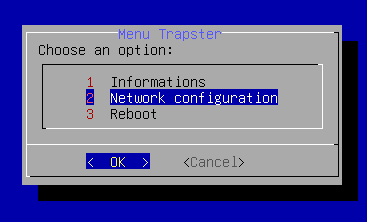
In the local menu, select Network configuration
Add all required network values :
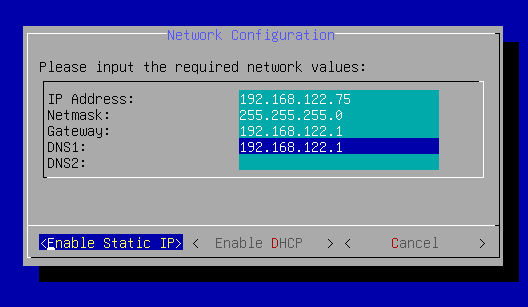
Click on Enable static IP and then Reboot