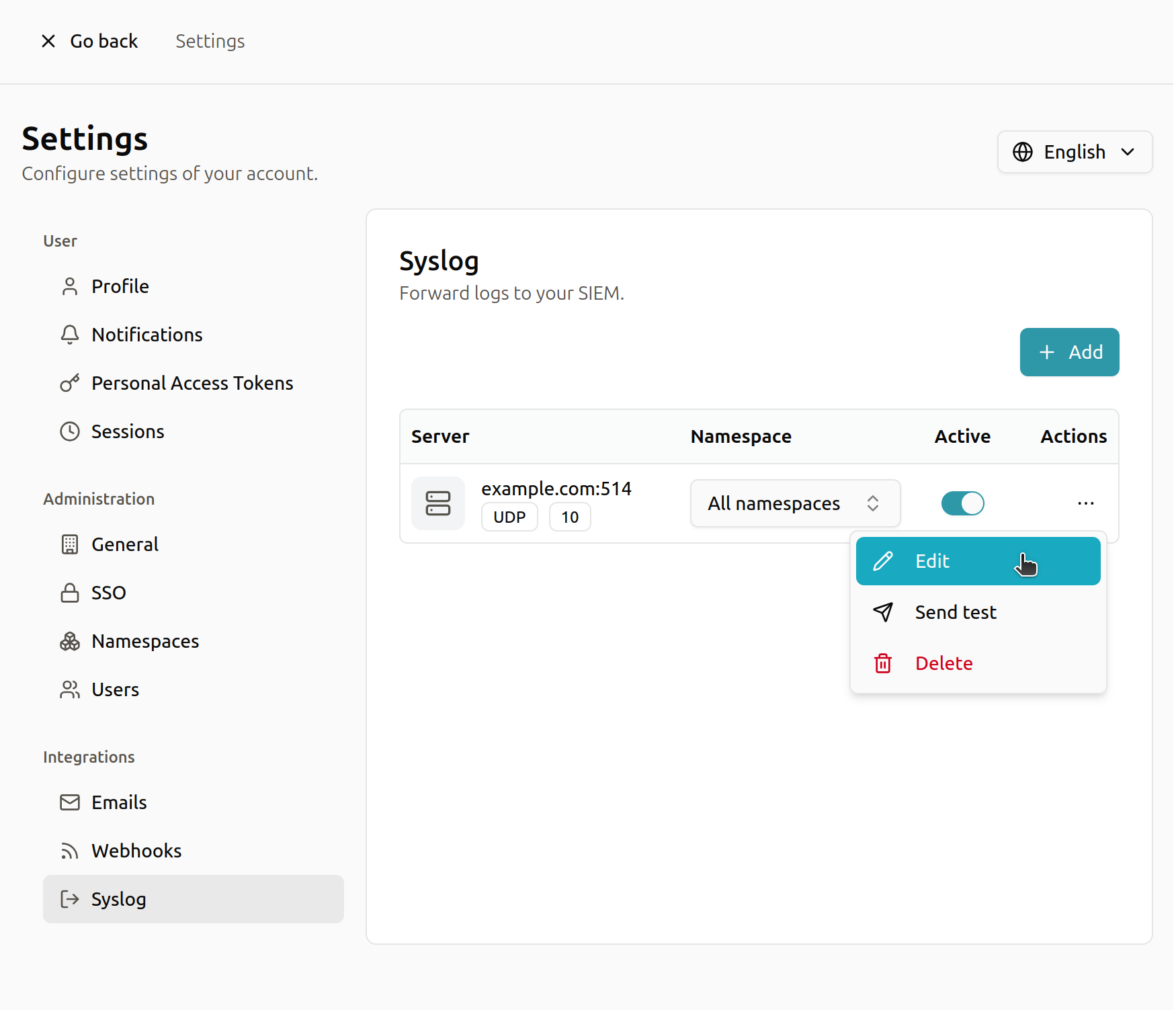
Syslog
You can choose to send logs using Syslog.
Trapster syslog messages are sent in the standard CEF (Common Event Format), which is commonly used for security-related events.
CEF Format
CEF:Version|Device Vendor|Device Product|Device Version|Device Event Class ID|Name|Severity|Extension
Example Formatting for Trapster
CEF:0|Ballpoint|Trapster|1.0|http|query|10|type=2 src=192.168.56.1 dst=192.168.56.102 msg=Query on service HTTP
Tip: By default, Trapster assigns a severity level of 10 to alerts due to the low false-positive rate of honeypots.
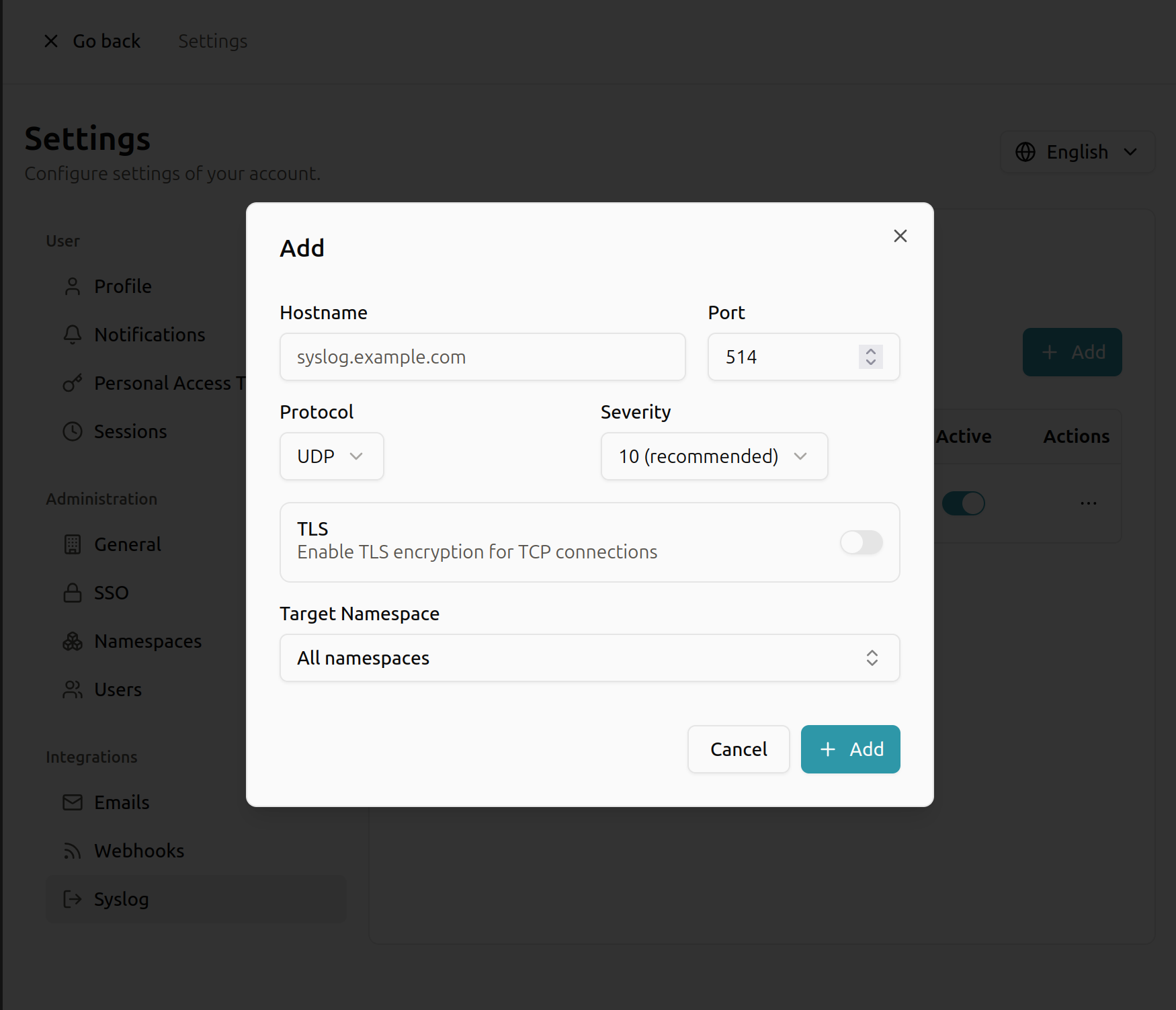
Syslog Configuration
- Hostname: Enter the hostname or IP address of your Syslog server.
- Port: Enter the port your Syslog server uses (default is 514).
- Protocol: Choose how logs are sent:
- TCP (Recommended): Reliable delivery, but slightly slower.
- UDP: Faster, but some log messages may be lost. Good for high-volume logs.
- Severity Mapping: Set the severity level for Trapster alerts using the CEF 0–10 scale:
0= Lowest severity10= Highest severity (Recommended)
- TLS: Enable this option to encrypt Syslog traffic for improved security.
Modification
After creating your configuration, you can modify your settings at any time. You can also send a sample syslog message to verify that your configuration works correctly.