
Honeytokens
Honeytokens are intentionally planted pieces of fake data—such as credentials, files, or URLs—designed to detect unauthorized access. While they appear legitimate to an attacker, any interaction with a honeytoken is a strong indicator of suspicious activity.
Trapster provides multiple honeytoken types to support different detection scenarios and environments.
What Are Honeytokens?
What they are:
Fake files, credentials, URLs, and other artifacts designed to look valuable or tempting to attackers.How they help:
- Instantly alert you when someone attempts to access or use them
- Identify compromised accounts or insider threats
- Reveal attacker behavior, techniques, and access paths without risking real data
Why they matter:
Honeytokens provide early warning of attacks—often before any real damage occurs—allowing security teams to respond faster and with greater confidence.
Creating a Honeytoken
View Existing Honeytokens
Navigate to the Honeytokens section to view all existing honeytokens. From this dashboard, you can see each honeytoken’s type, associated notes, and whether it has been triggered.
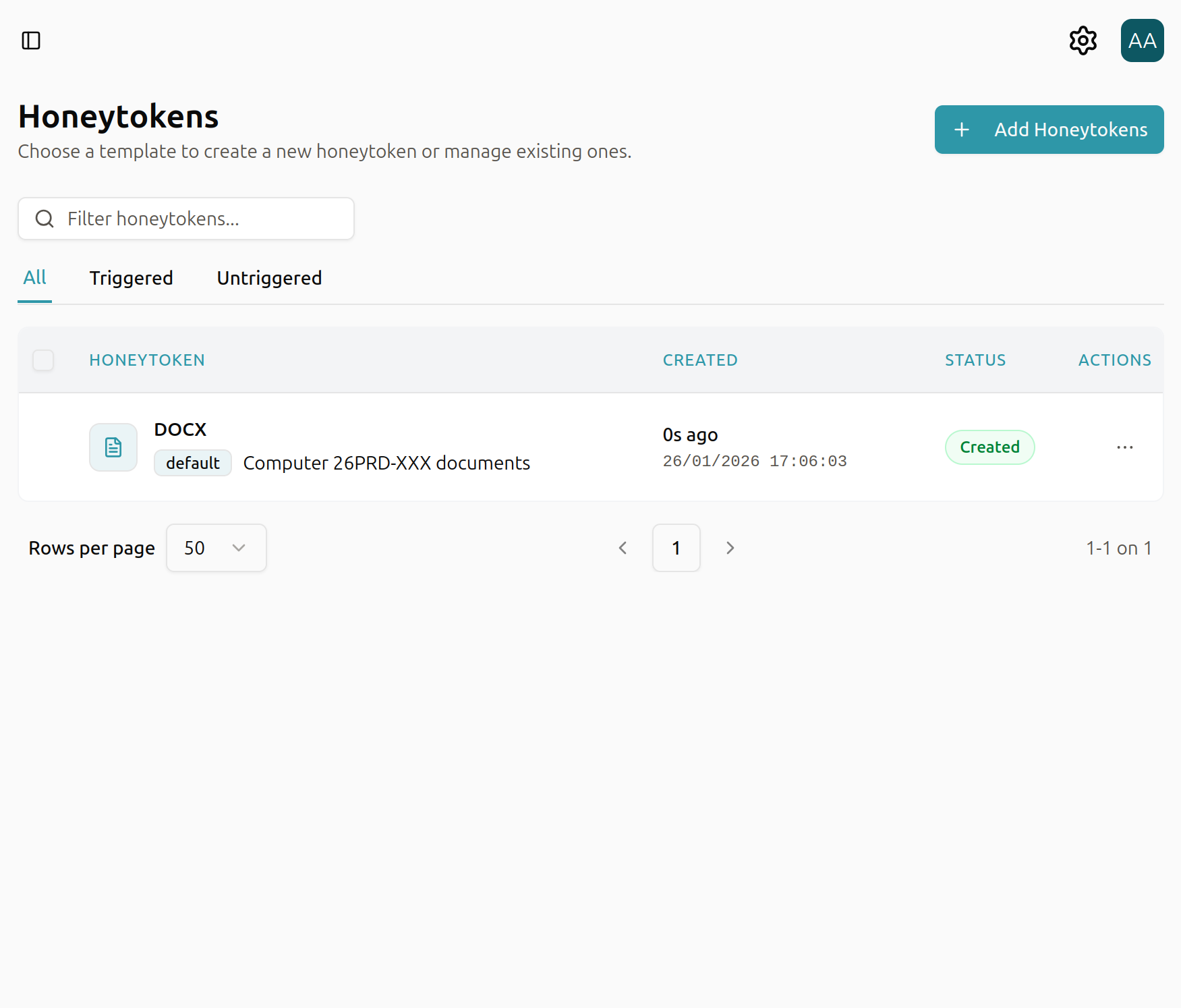
Add a New Honeytoken
To create a new honeytoken, select + Add Honeytoken. You’ll be presented with a list of available honeytoken types to choose from.
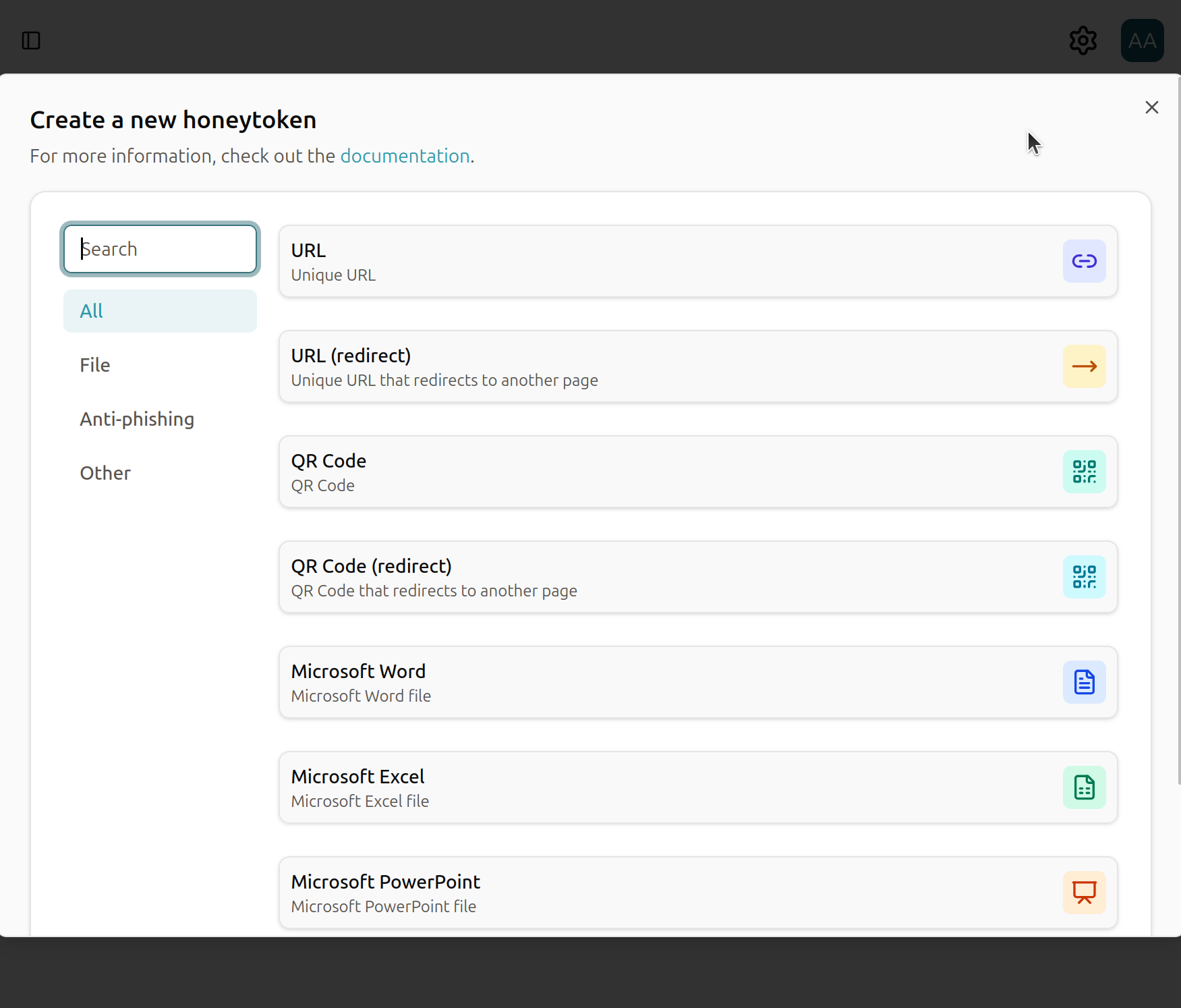
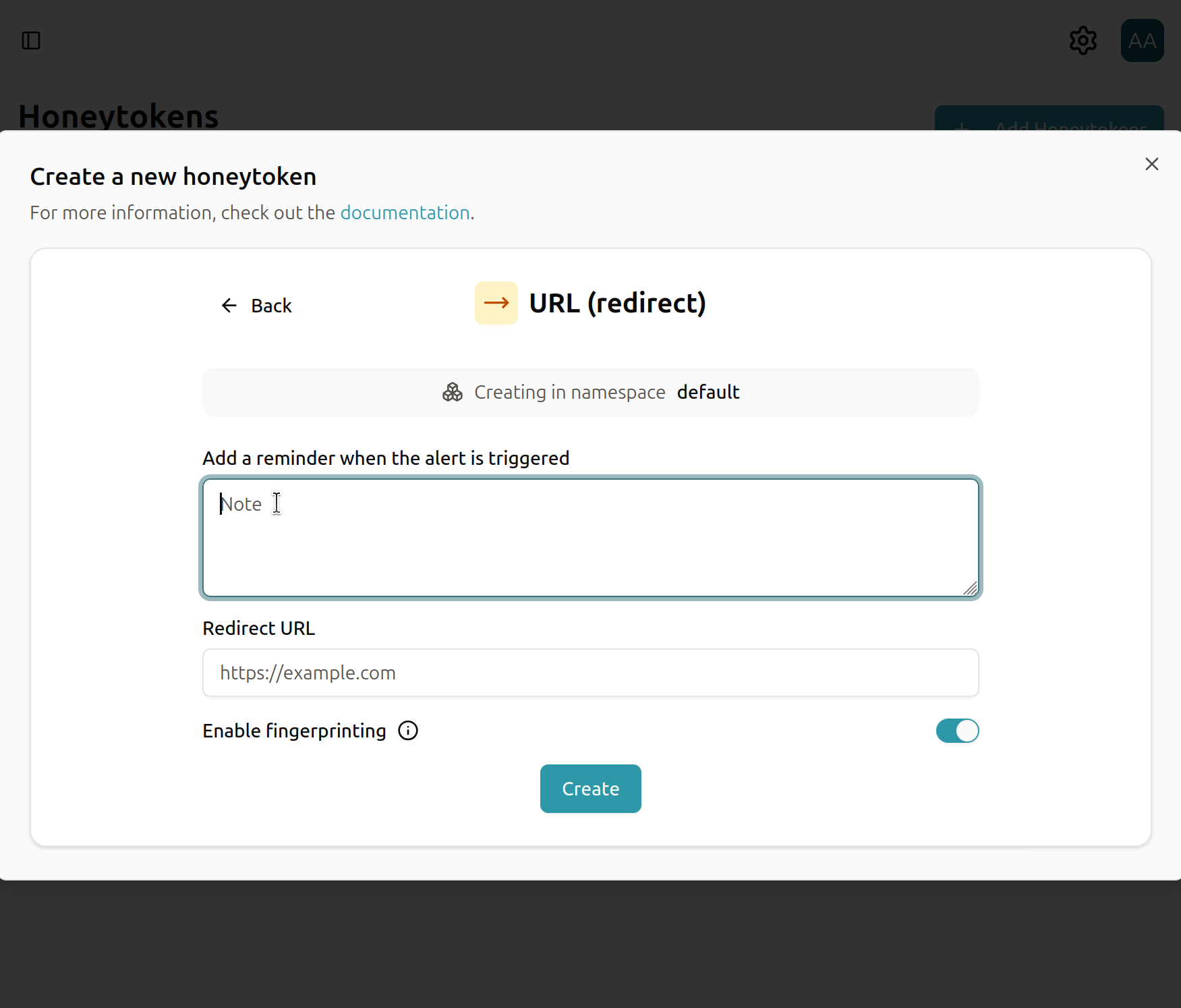
For detailed information on each honeytoken type and its configuration options, see the following documentation:
Using a Honeytoken
Once a honeytoken has been created, Trapster will provide the triggering URL or artifact details. Depending on the honeytoken type, you may also receive a file to download and deploy in your environment.
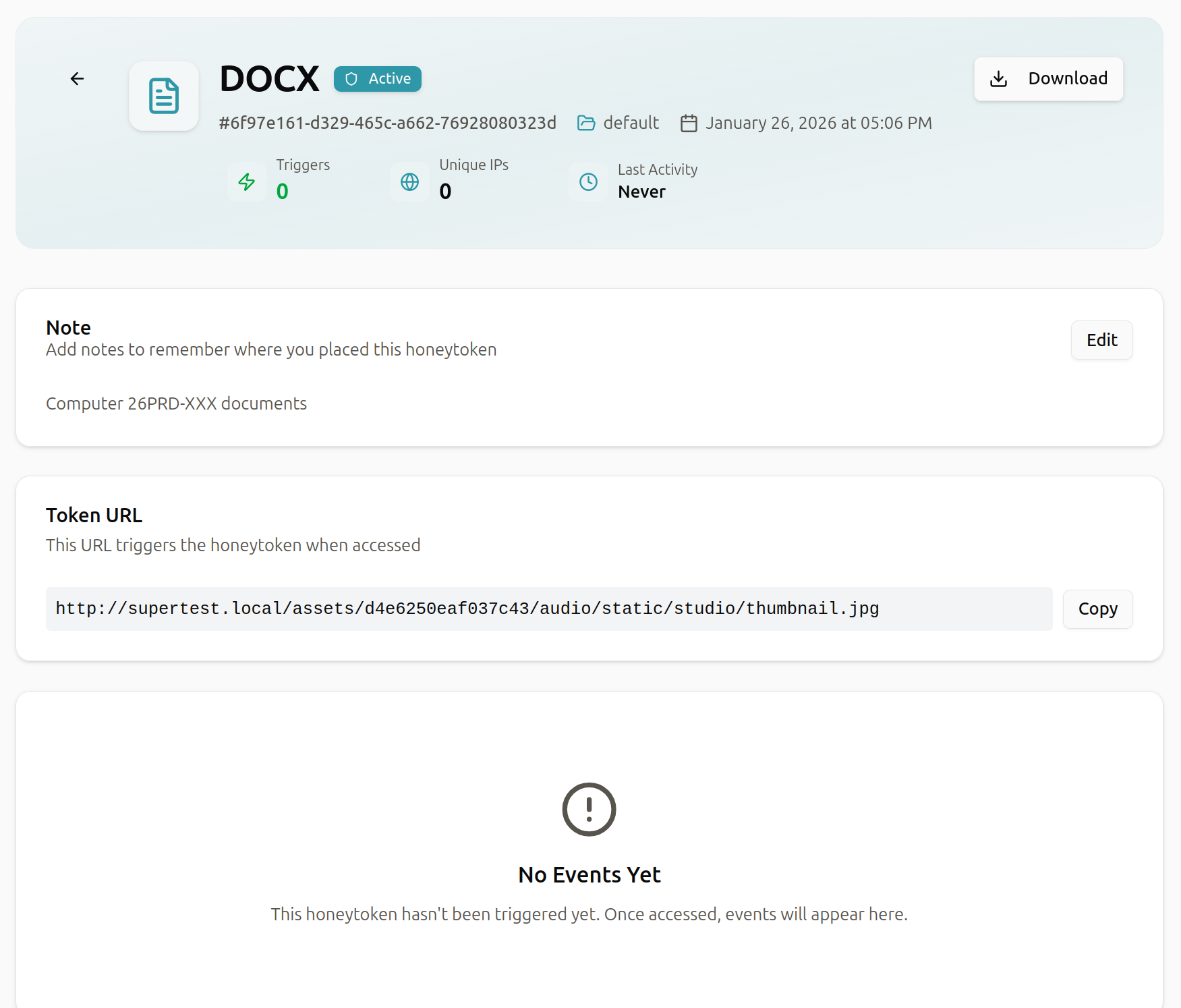
Any interaction with the honeytoken—such as visiting the URL or opening the file—will immediately trigger an alert and be recorded for investigation.
Best Practice: Place honeytokens in realistic but non-critical locations where attackers are likely to look, such as shared folders, internal documentation, or configuration directories.