
Breadcrumbs Enterprise
Breadcrumbs are decoy artifacts placed on your real machines. They look like legitimate credentials, connection shortcuts, or configuration files. But they point to your Trapster. When an attacker compromises a machine and finds one, they will try to use it, triggering an incident that identifies both the attacker and the endpoint they came from.
How it works
- Generate a breadcrumb from the Trapster's Services tab. Trapster creates a deployment file or script tied to that service
- Deploy it on a target machine. Place the file in Documents, import a registry key, or run the script
- An attacker finds and uses it: they connect to your Trapster using the fake credential or shortcut
- You get a unique incident: the incident includes the placement note you wrote during generation, telling you which endpoint was compromised
Unlike a standard honeypot incident (which tells you someone is probing your network), a breadcrumb incident tells you which machine was already compromised.
Where to create and view breadcrumbs
| Task | Navigation |
|---|---|
| Generate a breadcrumb | Trapsters → select a device → Services tab → Generate breadcrumb on a service row |
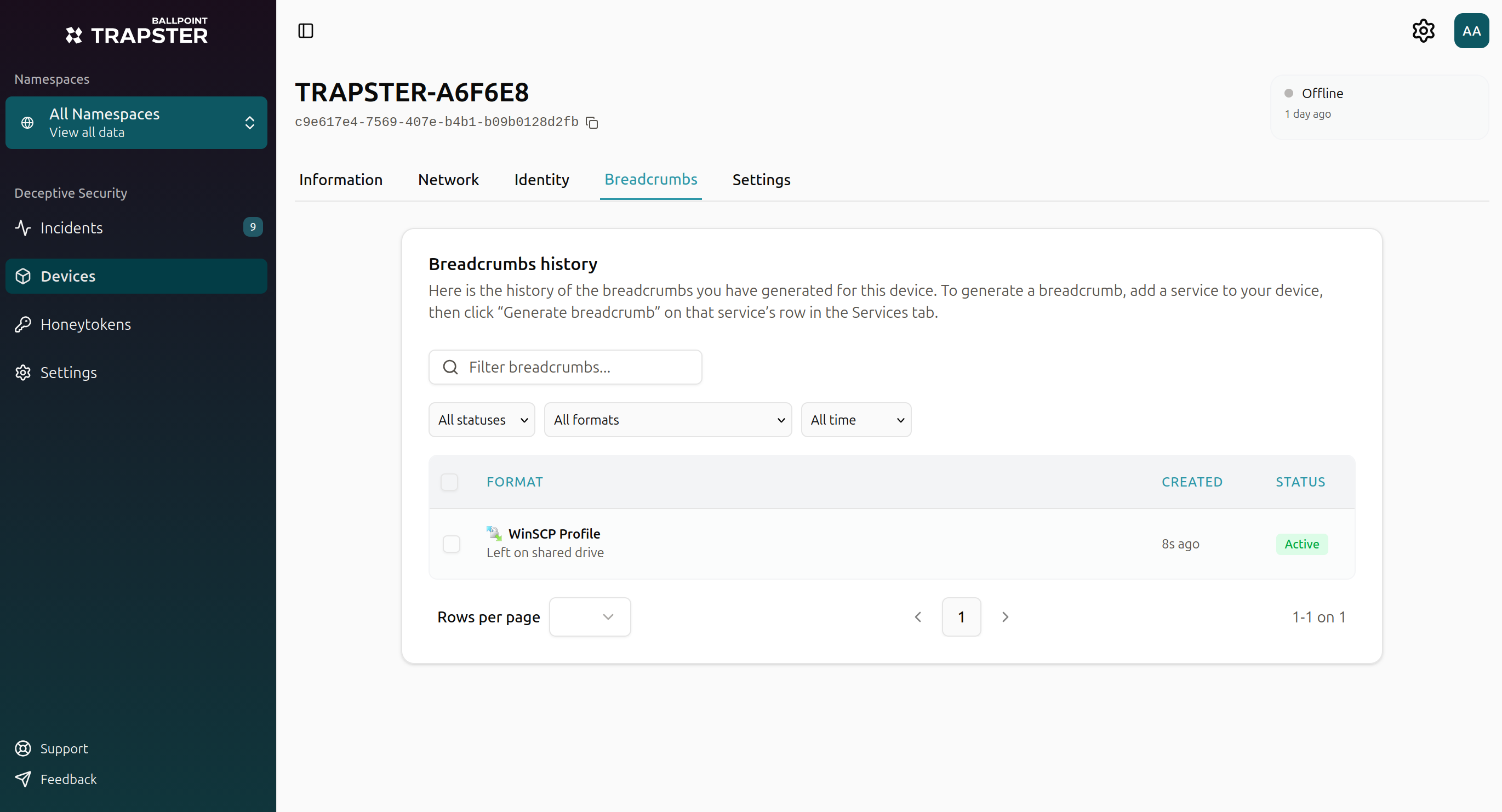
| View breadcrumb history | Trapsters → select a device → Breadcrumbs tab |
The Breadcrumbs tab lists every decoy generated for that Trapster with status (Active, Stale, or Triggered). For when breadcrumbs become stale and how to handle IP changes, see Trapsters: Breadcrumbs and IP changes.
Creating a breadcrumb
The formats offered in the wizard depend on the service you generate from (HTTP shortcuts for web services, SMB shortcuts for file shares, database config files for MySQL, and so on).
- Open Trapsters and click the Trapster you want the breadcrumb to target
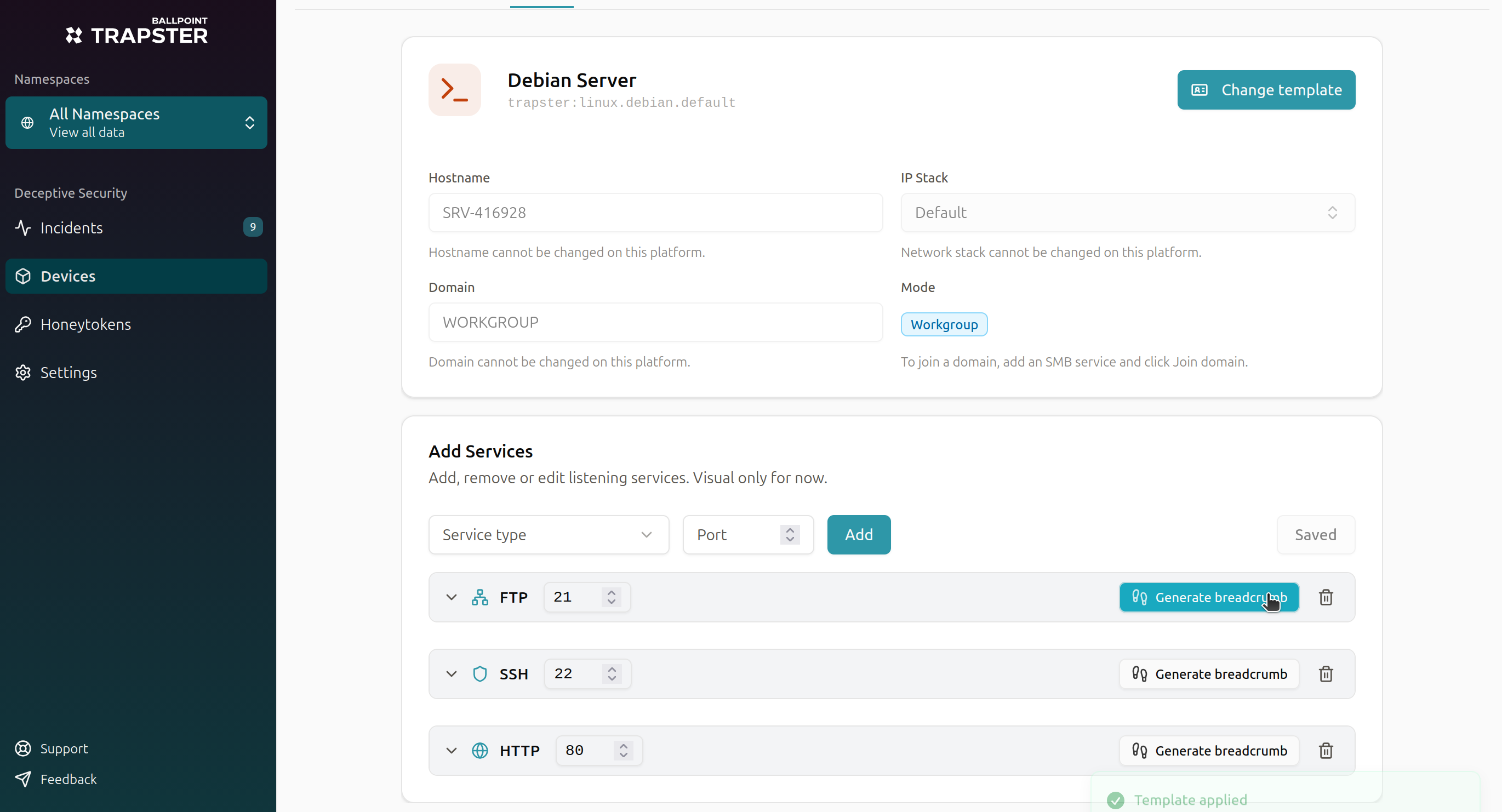
- Go to the Services tab
- On the service row (HTTP, SSH, SMB, etc.), click Generate breadcrumb
- Choose a format from the list (filtered to formats relevant to that service)
- Enter a note describing where you will place the breadcrumb (this appears in the incident)
- Choose whether to Include decoy credentials (on by default)
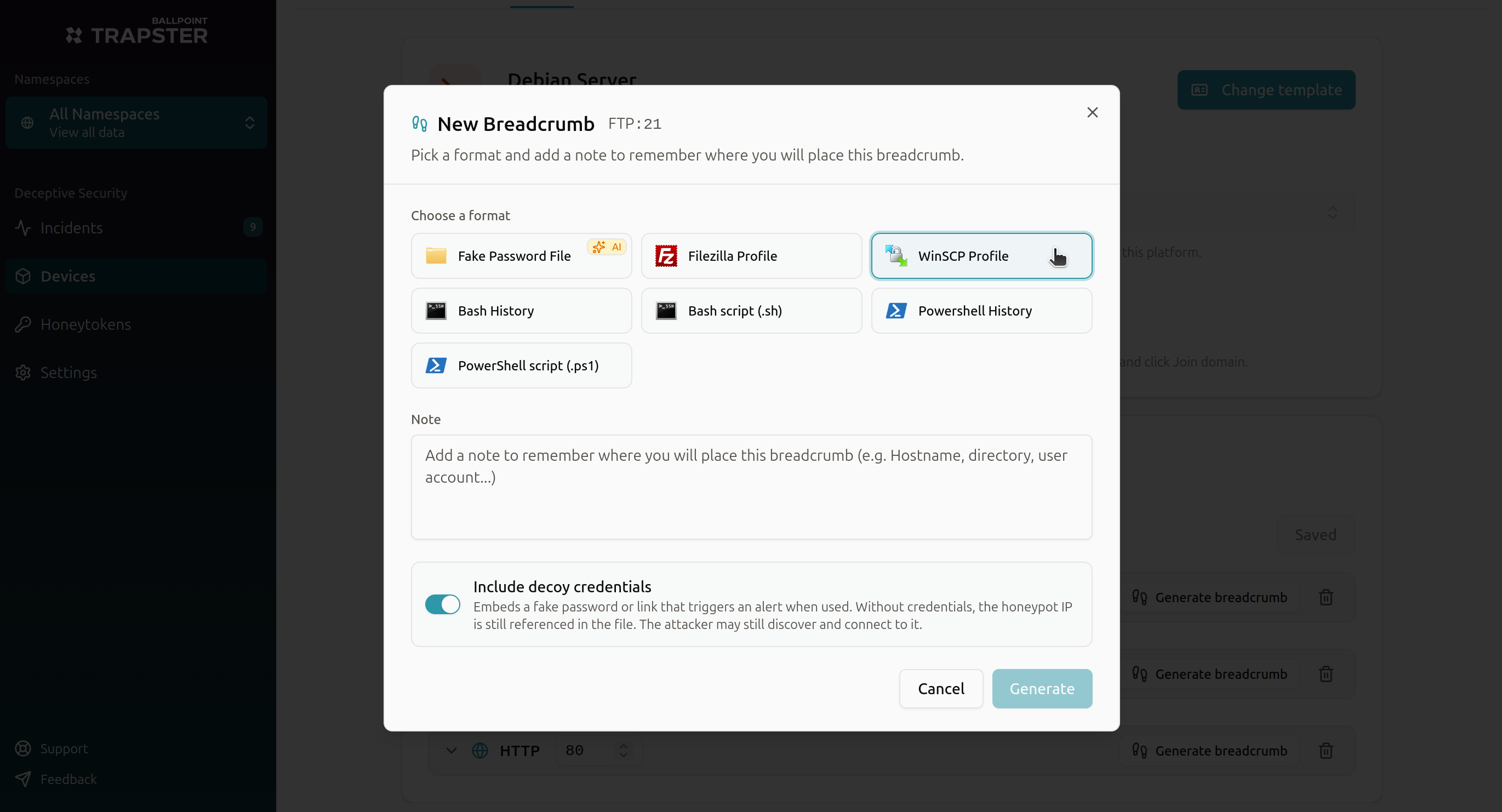
- Click Generate, then download or copy the file or script and deploy it on the target machine
Include decoy credentials
This toggle controls whether Trapster embeds a fake password, share name, or URL path in the breadcrumb. Trapster always auto-generates the value when credentials are included. There is no field to type your own.
| Setting | What you get | When to use it |
|---|---|---|
| On (default) | A realistic auto-generated credential or path embedded in the decoy | Most deployments. When the attacker uses that exact value, Trapster matches it to this breadcrumb and raises a Critical incident with your placement note |
| Off | The file still references the Trapster IP, but without an embedded credential | When you only want to plant a connection shortcut or script that points at the honeypot without a fake password. The attacker may still discover and connect to the Trapster, but you lose the precise breadcrumb credential match |
Leave credentials on unless you deliberately want a reference-only decoy.
Incidents from breadcrumbs
When an attacker uses a breadcrumb credential against your Trapster, an incident appears on the Incidents page. Breadcrumb incidents include:
- The placement note you wrote during generation
- The credential pair used
- Source IP of the attacker
- Target service and Trapster
See Incidents and Threat Graph for the full incident workflow.
Breadcrumb formats reference
Trapster supports 19 formats. The wizard filters this list to formats relevant to the service you generate from.
| Format | Typical platforms | Available from (service examples) | Guide |
|---|---|---|---|
| Fake password file | Any | All services | Password file |
| Bash history | Linux, macOS | SSH, FTP, HTTP, HTTPS, SMB, MySQL, PostgreSQL, MSSQL, Telnet, Rsync | Bash history |
| Bash script (.sh) | Linux, macOS | Most services except RDP-only shortcuts | Bash script |
| PowerShell history | Windows | SSH, FTP, HTTP, HTTPS, SMB, MySQL, PostgreSQL, MSSQL, RDP, Telnet, Rsync | PowerShell history |
| PowerShell script (.ps1) | Windows | Most services except client-profile shortcuts | PowerShell script |
| RDP profile | Windows | RDP | RDP shortcut |
| PuTTY profile | Windows | SSH | PuTTY |
| FileZilla profile | Windows | FTP | FileZilla |
| WinSCP profile | Windows | FTP | WinSCP |
| PowerShell SSH script | Windows | SSH | PowerShell SSH script |
| PowerShell SMB script | Windows | SMB | PowerShell SMB script |
| Windows SMB shortcut | Windows | SMB | Windows SMB shortcut |
| Windows HTTP shortcut | Windows | HTTP | HTTP shortcut |
| Windows HTTPS shortcut | Windows | HTTPS | HTTPS shortcut |
| macOS HTTP shortcut | macOS | HTTP | macOS HTTP shortcut |
| macOS HTTPS shortcut | macOS | HTTPS | macOS HTTPS shortcut |
| MySQL config (~/.my.cnf) | Linux, macOS | MySQL | MySQL config |
| PostgreSQL password file (~/.pgpass) | Linux, macOS, Windows | PostgreSQL | PostgreSQL password file |
| MSSQL connection script (.ps1) | Windows (PowerShell) | MSSQL | MSSQL connection script |
Next steps
- Windows breadcrumbs: FileZilla, PuTTY, WinSCP, RDP, PowerShell, HTTP(S) shortcuts
- Linux & macOS breadcrumbs: Bash history, connection scripts, database configs, macOS shortcuts
- Document breadcrumbs: Fake password files
- Credential breadcrumbs: How unique identifiers trace attacker origin
- Network share breadcrumbs: SMB shortcuts and scripts